Take your digital content to the next level using AiVOOV
One Click Text to Speech Solution
Read More
Explore Ollama’s new local AI speech generation capabilities powered by Phonon.
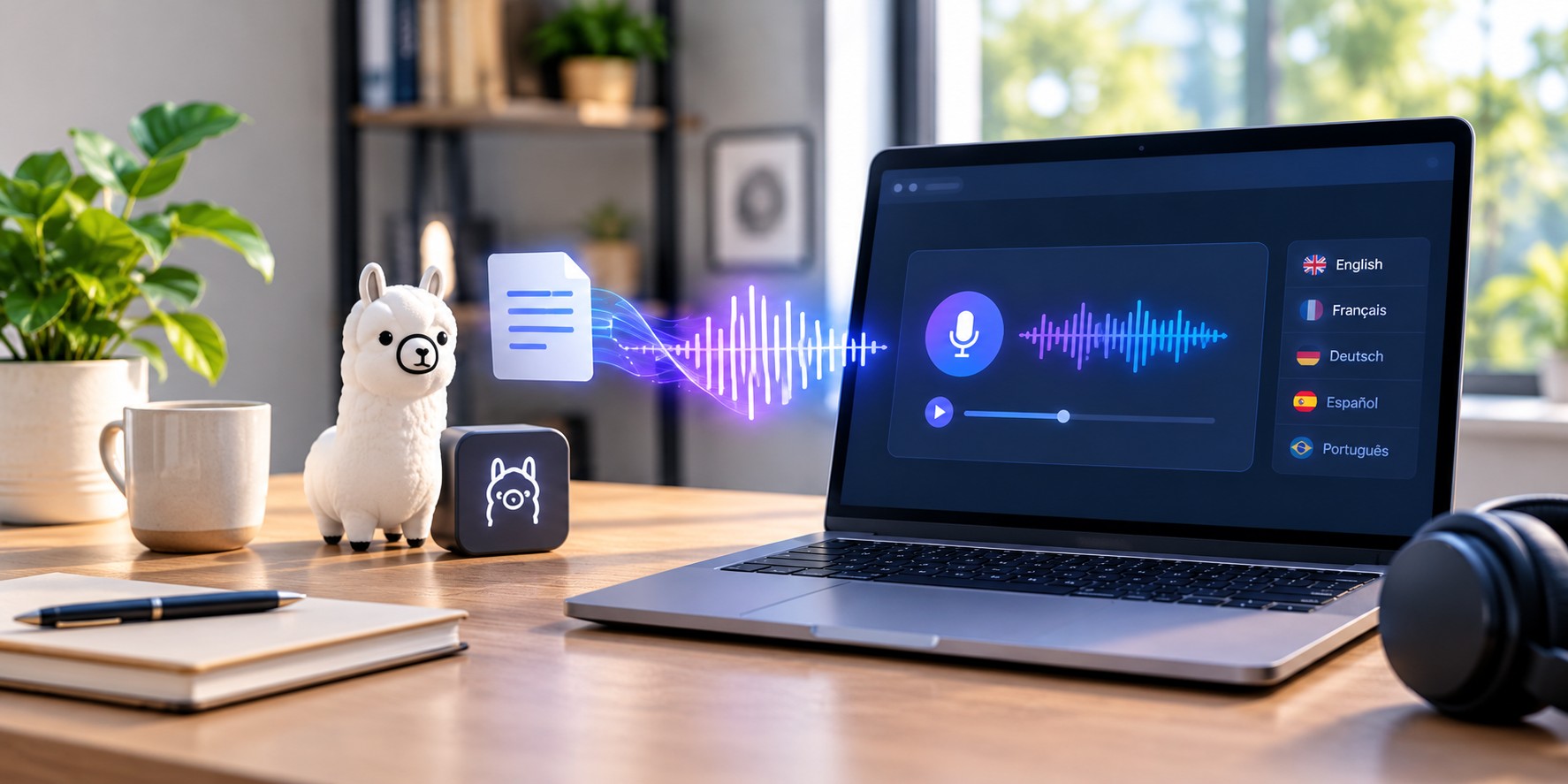
Artificial intelligence is changing how we create audio. From local speech models that run on personal computers to online platforms designed for professional voiceovers, creators now have more options than ever. Ollama's introduction of Phonon brings text-to-speech capabilities into its local AI ecosystem, creating another option for developers experimenting with AI-generated speech.
But generating speech is only one part of producing a finished voiceover. Content creators, educators, marketers, and businesses often need a wider selection of voices, support for multiple languages, fine-grained speech controls, and tools to prepare audio for real-world projects.
This is where AiVOOV offers a different approach. Instead of focusing primarily on running a speech model locally, AiVOOV brings voice generation and audio-production features together in an online platform. Let's explore what Ollama Phonon introduces, how the two approaches compare, and which option makes sense for different users.
On October 24, 2026, Ollama announced support for speech models, beginning with Phonon, a family of text-to-speech models from Gradium. The release allows users to turn written text into spoken audio and integrate speech generation into local AI workflows.
Phonon is designed for applications such as reading assistant responses aloud, narrating text, and adding speech capabilities to AI-powered applications. It also supports streaming, allowing audio to begin playing while it is being generated.
Phonon runs through Ollama on supported hardware, making it useful for developers who want speech generation within a local AI environment.
Its OpenAI-compatible speech endpoint helps developers connect text-to-speech functionality to applications using a familiar API structure.
According to the official announcement, Phonon initially supports macOS on Apple Silicon, with Windows and Linux support planned. The model family covers English, French, German, Spanish, and Portuguese.
Ollama also reports a performance advantage in its Apple Silicon benchmark. On a MacBook Pro with an M5 Max, its implementation was 35% faster than Gradium's runtime under the specified test conditions. This result is specific to that benchmark and should not be interpreted as a universal performance comparison across devices or speech platforms.
For the latest technical details, see the official Ollama speech models announcement.
Generating a spoken version of a sentence is a useful starting point. However, a production-ready voiceover often involves several additional decisions: choosing the right voice, matching the language to the intended audience, adjusting delivery, combining speakers, and preparing the final audio file.
Consider a creator producing a multilingual tutorial. The creator might need a different voice for each language, distinct voices for a dialogue, pauses between sections, subtitles, and background music. A basic speech-generation workflow may require additional tools or custom development to handle these requirements.
AiVOOV's feature set is designed around this broader voiceover workflow. It combines a large voice library with speech customization, multi-voice generation, audio export, and additional production tools.
Ollama helps developers bring speech generation into local AI applications. AiVOOV helps users move from a written script to a customized voiceover using an integrated online workflow. The right choice depends on whether you want to build around a model or produce audio using a broader set of tools.
Both options can turn text into speech, but they serve different priorities. The comparison below highlights their publicly described capabilities rather than treating them as identical products.
| Feature | Ollama Phonon | AiVOOV |
|---|---|---|
| Primary purpose | Local AI speech generation and developer integration | Online text-to-speech and voiceover production |
| Voice selection | Voices available through the Phonon model family | More than 2,300 AI voices |
| Language coverage | Five listed languages in the initial release | More than 155 languages and accents |
| Getting started | Install and configure Ollama on a supported system | Use an online voiceover workflow |
| Speech customization | Voice selection and model/API configuration | Available speech styles, pitch, rate, emphasis, pauses, and pronunciation controls |
| Multiple voices in one project | Can be implemented in an application workflow | Supports multiple voices within a single audio project |
| Audio formats | WAV by default, with raw PCM also supported by the API | MP3 and WAV exports |
| Additional production tools | Focused on model inference and speech integration | Includes features such as audio merging, background music, and SRT generation |
| API access | OpenAI-compatible speech API | Text-to-speech API |
| Best suited for | Developers exploring local speech models and AI application integration | Creators, educators, marketers, businesses, and teams producing voiceovers |
Comparison based on publicly described product capabilities as of October 2026. Features and availability may change. Voice counts, language coverage, and customization options are not direct measures of speech quality. Actual results depend on the selected voice, language, and use case.
Voice selection can significantly affect how an audience experiences audio content. A voice suitable for a corporate training course may not be the right choice for a short social media video, an audiobook, a product advertisement, or an educational lesson.
AiVOOV offers more than 2,300 AI voices across 155+ languages and accents. This gives users a broad range of options when selecting voices for different audiences, projects, and communication styles.
Explore language and accent options for reaching audiences in different regions.
Choose voices that suit tutorials, marketing messages, educational material, and storytelling.
Select different voices for different projects without building a separate speech interface.
Phonon's initial release is more focused, with five listed languages. That is a reasonable starting point for local speech applications, but creators working across many languages may find AiVOOV's broader selection more convenient.
Explore the AiVOOV voice library to discover available voices and language options.
Choosing a voice is only one part of creating a good voiceover. The delivery also needs to match the content. A product announcement might require an energetic style, while an instructional video may benefit from a measured pace and clear pronunciation.
AiVOOV offers speech customization features that help users refine generated audio, including available speech styles, rate and pitch controls, emphasis, pauses, pronunciation settings, and SSML support.
Ollama Phonon provides a way to select voices and generate speech through its model and API. However, an application that needs additional editing controls may require developers to implement the appropriate interface and workflow themselves.
For users who prefer these controls in an existing voiceover editor, AiVOOV's text-to-speech editor is worth exploring.
Some projects need more than one speaker. An educational conversation, an interview-style video, a product demonstration, or a fictional dialogue may sound more natural when different parts are assigned to different voices.
AiVOOV supports multi-voice generation, allowing users to create conversations with different voices within the same audio file. Its multi-provider voice feature also supports using voices from different providers in one project, where available.
Teacher: Introduces a concept and explains the main idea.
Student: Asks a question to clarify the topic.
Teacher: Provides an explanation and summarizes the lesson.
In a model-based workflow, developers can build speaker selection and audio assembly into their applications. AiVOOV provides a more direct route for users who want to create multi-speaker voiceovers without developing the entire workflow themselves.
Voiceover production often involves several steps after speech generation. Users may need to combine recordings, add background music, prepare subtitles, organize project files, or publish audio for listeners.
AiVOOV brings several of these capabilities together, reducing the need to manage every step in a separate application.
Combine audio files for projects that contain multiple generated segments.
Add music and adjust available volume, looping, and fade settings.
Generate SRT files for supported workflows and use them in video editing.
Organize generated audio and manage voiceover projects within the platform.
Ollama's Phonon release focuses on speech generation and integration into AI applications. Users can build additional production capabilities around it, but doing so may require extra software or development work.
For creators who want speech generation alongside practical production tools, AiVOOV offers a more integrated starting point.
One of the most important differences between Ollama and AiVOOV is how users access and work with speech generation.
Local execution can be useful, but it does not automatically guarantee privacy or security. Those outcomes depend on the full application, its configuration, and how data is handled.
AiVOOV is an especially practical option when your goal is to create and refine finished audio rather than simply experiment with a speech model. As with any online service, review its privacy, data-handling, and account requirements before processing sensitive material.
Ollama's Phonon announcement highlights its speed on Apple Silicon and reports a 35% advantage over Gradium's runtime in a specific benchmark. This is an important technical result for developers evaluating local inference.
However, raw generation speed is not the only factor in choosing a voiceover solution. Users may also care about pronunciation, voice variety, language availability, editing flexibility, workflow simplicity, and the time needed to prepare a finished audio file.
It would be misleading to declare either platform universally superior in speech quality without controlled tests using comparable voices, scripts, languages, hardware, and listening conditions.
For the fairest evaluation, test the same script with voices appropriate to your use case. Compare pronunciation, pacing, expressiveness, and the amount of editing required before the audio is ready to use.
If your main concern is choosing from a broad voice library and accessing production tools in one place, AiVOOV's features provide practical advantages beyond the raw inference benchmark.
There is no single tool that is best for every speech-generation task. The right choice depends on whether you prioritize local model execution, development flexibility, voice selection, or a complete voiceover workflow.
| Your goal | Option to consider | Why |
|---|---|---|
| Build a local AI assistant that speaks | Ollama Phonon | Designed to integrate speech generation into local AI workflows. |
| Produce multilingual marketing voiceovers | AiVOOV | Offers a broad voice library and extensive language coverage. |
| Create multi-speaker educational content | AiVOOV | Supports multiple voices within a single audio project. |
| Experiment with local speech inference | Ollama Phonon | Provides a model-based workflow for supported systems. |
| Generate and prepare voiceovers using integrated tools | AiVOOV | Combines speech generation with audio-production features. |
Ollama's introduction of Phonon is a welcome development for local AI speech generation. It gives developers another way to add spoken output to applications and experiment with model-based audio workflows.
But if you are a content creator, educator, marketer, or business user, your needs may extend well beyond generating a spoken sentence. You may want to explore different voices, produce content in several languages, adjust delivery, create dialogues, add music, or prepare audio for publication.
That is where AiVOOV stands out. With more than 2,300 AI voices across 155+ languages and accents, along with speech customization and additional audio-production tools, it offers a broader environment for creating voiceovers.
Rather than assembling a collection of tools around a speech model, you can start with your script, choose a voice, customize the delivery, and generate audio through an online workflow.
Explore a large collection of AI voices, create multilingual audio, and customize voiceovers for videos, courses, presentations, and other projects.
Explore AiVOOV Voice GeneratorOllama Phonon is a family of text-to-speech models that generates spoken audio from written text. It can be used in local AI workflows and accessed through Ollama's speech API.
Ollama Phonon focuses on local speech generation and developer integration. AiVOOV is an online voiceover platform with a large voice library, broad language coverage, speech customization, multi-voice generation, and additional audio-production tools.
AiVOOV advertises more than 2,300 AI voices across 155+ languages and accents. Ollama Phonon's initial release lists English, French, German, Spanish, and Portuguese.
Yes. AiVOOV supports voiceover creation for videos, e-learning, podcasts, marketing content, and other projects. Check the current terms and licensing conditions for your intended use.
Ollama reports a 35% speed advantage over Gradium's runtime in a specific Apple Silicon benchmark. This is not a direct comparison with AiVOOV, and the result should not be used to conclude that one platform is universally faster.
AiVOOV provides an online voiceover workflow, so you can create audio through the platform without setting up Ollama and a local Phonon model.
Yes. Ollama offers an OpenAI-compatible speech API, while AiVOOV also provides API access for supported text-to-speech workflows. Developers should consult each platform's current documentation for implementation details.

One Click Text to Speech Solution
Read More
From virtual training to real-world tasks, discover how NVIDIA is helping developers build robots that can see, learn, and act.
Read MoreWhat are you waiting for?
Create your account to generate realistic text-to-speech (TTS) audio with our online AI voice generator.
Try for Free