Take your digital content to the next level using AiVOOV
One Click Text to Speech Solution
Read More
A Simple Content Creation Workflow Using AI Voiceovers, Better Visuals, Editing & Captions
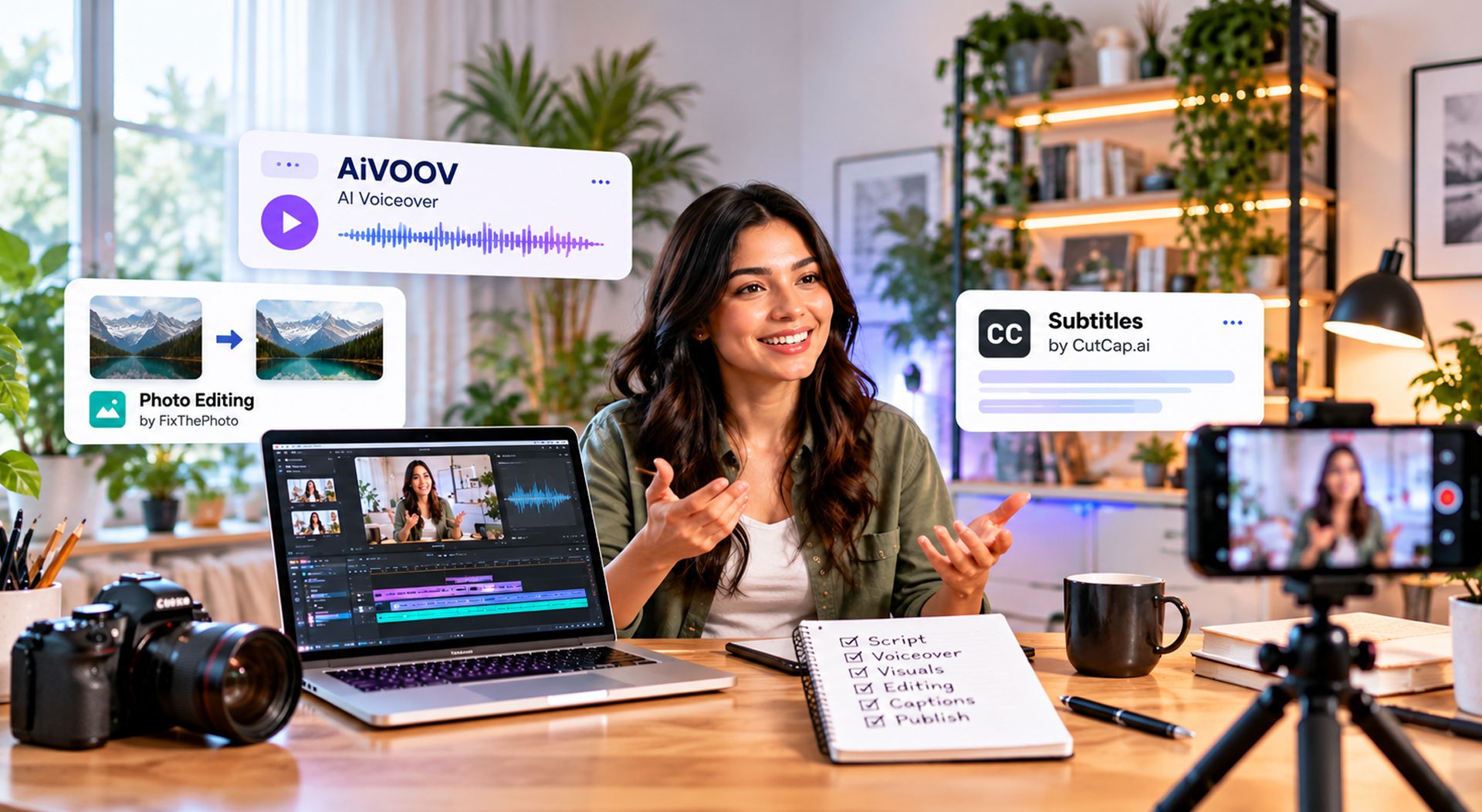
You don't need a production studio, expensive cameras, or a large editing team to create a professional-looking video anymore.
What you do need is a good idea, a clear script, useful visuals, and a workflow that saves time without making the final result feel rushed.
That last part matters more than ever. AI has made it much easier to create videos, but creating something quickly isn't the same as creating something people want to watch. The creators who stand out still need to make decisions about storytelling, visuals, pacing, voice, and overall presentation.
Recent creator research shows how quickly AI has become part of the everyday production process. Adobe's 2026 research found that 85% of surveyed creators in India who use creative AI consider it integrated or essential to their work.
So, what does a practical video creation workflow look like today?
Before opening an AI tool or video editor, decide what the video is actually trying to say. A simple structure works for most content:
For example, if you're creating a video about a new software product, don't start by thinking about transitions or background music. First write down what the viewer needs to understand.
A strong script usually makes every step that follows easier.
One of the easiest ways to make a video feel artificial is to write a script that nobody would actually say out loud.
Keep sentences reasonably short. Use familiar words. Avoid filling every paragraph with unnecessary information.
Read the script aloud before recording it.
If a sentence feels awkward when you say it, it will probably sound awkward in the finished video too.
This is particularly important when you're using text to speech. AI voices can produce natural narration, but the script itself still needs to sound conversational.
Once the script is ready, you can turn it into a voiceover without setting up a microphone or recording studio.
With an AI text-to-speech tool such as AiVOOV, you can enter your script, select a suitable voice, and generate the narration.
This is useful when you're producing videos regularly or need the same content in multiple languages.
For example, a single product video could have separate versions for English, Hindi, Spanish, German, French, or other audiences without requiring a new recording session for every language.
The important thing is to choose a voice that fits the content.
A tutorial may need a calm and instructional voice. A promotional video may need something more energetic. A corporate presentation usually works better with a clear and professional delivery.
Good narration isn't just about the words.
Pacing matters.
If every sentence is delivered at exactly the same speed with no natural pauses, even a good script can sound flat. Break longer sections into smaller ideas and leave enough space between important points.
You can also match the visuals to the narration.
When the voice explains a feature, show that feature. When it introduces a product, put the product on screen. When it makes an important point, give the viewer a moment to absorb it.
The voice and visuals should feel like they're working together.
Adding more images, effects, transitions, and animations doesn't automatically make a video better.
In many cases, a small number of strong visuals works better than a screen filled with effects.
Use images that support the story.
For product videos, show the product clearly. For educational videos, use diagrams, screenshots, or relevant photographs. For social media content, choose visuals that communicate the idea quickly.
If your source images need professional retouching, background cleanup, color correction, or other improvements, services such as FixThePhoto can be useful when you want the visual assets to look polished before adding them to your video.
People decide very quickly whether they want to continue watching a video.
That doesn't mean every video needs a dramatic opening.
It means the viewer should understand why the video is worth watching.
Instead of starting with a long introduction, get to the point.
For example:
Weak opening:
"Hello everyone, welcome back to our channel. Today we're going to talk about..."
Stronger opening:
"Here's how you can turn a written script into a complete video without recording a single line of narration."
The second version immediately tells the viewer what they will get.
Captions are useful even when your voiceover is clear. People often watch videos in situations where they can't or don't want to use sound. Captions also make your content easier to follow when someone is watching in a noisy environment. For creators who want to generate accurate and engaging subtitles quickly, CutCap.ai can help turn video audio into captions and add them directly to your content.
For short-form content, captions can also help emphasize important words and maintain attention.
The design doesn't need to be complicated. Make sure the text is readable, correctly timed, and doesn't cover important parts of the video.
Background music can help establish the mood of a video, but it shouldn't compete with the narration.
If the viewer has to concentrate to understand what the speaker is saying because the music is too loud, the music is doing more harm than good.
Keep the voice clearly understandable and use music as a supporting element rather than the main attraction.
The biggest advantage of modern AI tools isn't necessarily that they can create one video quickly.
It's that they can help you create your next 20 videos without starting from scratch every time.
A simple workflow could look like this:
Idea → Script → Voiceover → Visuals → Editing → Captions → Review → Publish
Once you've found a workflow that works, document it.
Create reusable templates for your intro, outro, captions, colors, fonts, and common video formats. This makes it easier to maintain consistency while reducing repetitive work.
I can speed up production, but it doesn't remove the need for editing.
Adobe's 2026 creator research found that 72% of surveyed creators said their AI outputs typically require moderate or extensive editing before they're ready to share. The same research found that 77% believe human judgment remains essential to creative taste.
That's an important distinction.
Use AI to get from an idea to a usable draft faster. Then review the result yourself.
Listen to the complete voiceover. Check the pronunciation. Watch the video from beginning to end. Remove anything that feels unnecessary.
Those small decisions are often what separate a generated video from a finished video.
Once you've created a few videos, look for ways to reuse your work. One long video can become:
This approach lets you get more value from the same research and script.
It also makes multilingual content much easier. A single idea can be adapted for different markets using localized scripts and AI voiceovers.
You don't need dozens of applications.A basic workflow can be built around a few categories:
Writing: Create and refine the script.
Voiceover: Convert the finished script into natural narration with AI text to speech.
Visuals: Collect or create images, screenshots, graphics, and video clips.
Photo editing: Improve important images before adding them to the video.
Video editing: Combine narration, visuals, captions, music, and effects.
Publishing: Export the final video and adapt it for each platform.
The exact tools are less important than having a workflow you can repeat consistently.
Professional video creation is becoming less about having access to expensive equipment and more about knowing how to combine the right tools with good creative decisions.
AI can help with many of the repetitive parts of production, from generating voiceovers to speeding up editing. But the story, visual direction, pacing, and final decisions still matter.
Start with a useful idea. Write a script that sounds natural. Choose a voice that fits the subject. Use visuals that support the story. Edit carefully. Then turn the process into a workflow you can repeat.
That's how you move from simply making videos faster to creating content that people actually want to watch.

One Click Text to Speech Solution
Read More
A simple guide to the latest AI models and how they are shaping content creation
Read MoreAiVOOV seamlessly integrates with various web platforms, making it a versatile choice for professionals.










What are you waiting for?
Create your account to generate realistic text-to-speech (TTS) audio with our online AI voice generator.
Try for Free